Stable Terms & Conditions
📍 Find this in the app: Admin Panel → Terms & Conditions (
/admin/terms)
The Stable Terms section allows you to define the rules, liability waivers, and boarding agreements for your facility, and ensures members actually agree to them.
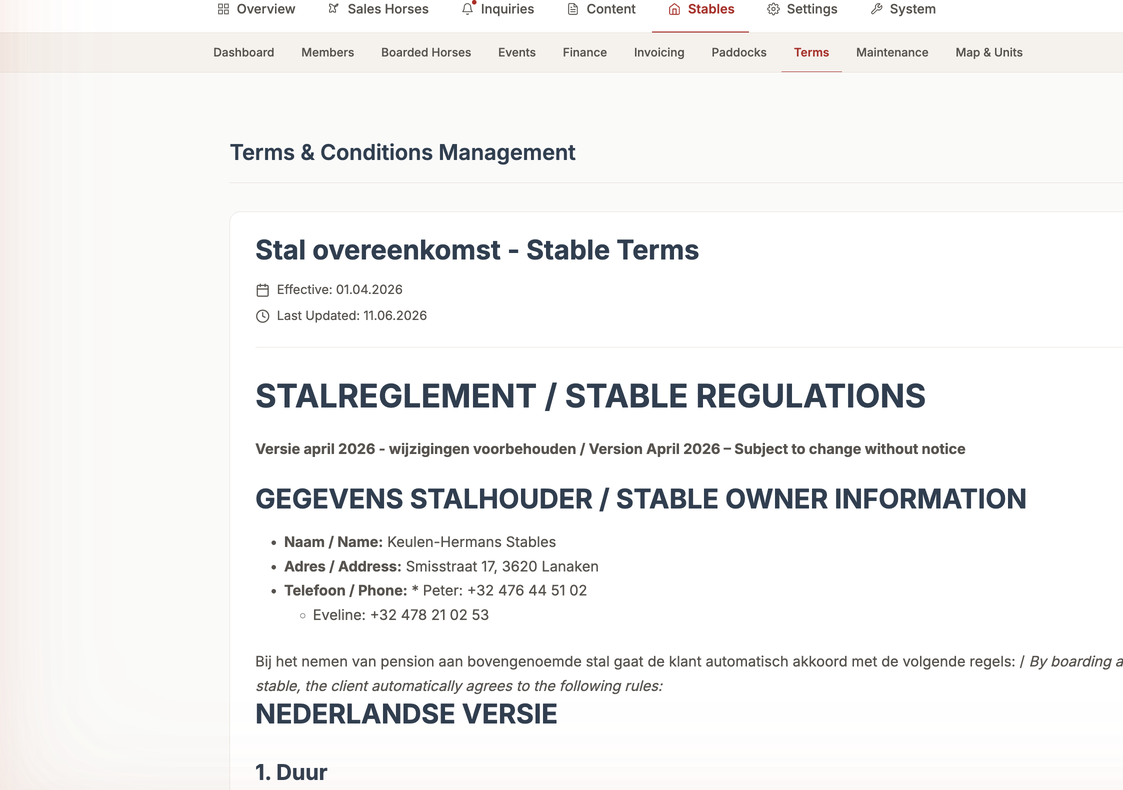
1. Drafting the Terms (Create)
You can create your stable's rulebook directly in the system.
- Go to the Terms dashboard and click "Edit Terms".
- You will be presented with a large text editor.
- You can type out all your rules, liability waivers, and policies here.
- Click "Save as Draft". The terms remain a private Draft until you are ready to enforce them.
2. Viewing Terms & Acceptance (Read)
You can read your currently active terms at any time. More importantly, you can view the Acceptance Tracker. This is a list of every single member in your stable, showing a green checkmark and the exact date and time (acceptedTermsAt) they legally agreed to your rules.
3. Publishing New Terms (Update)
When you want to enforce a new rule (e.g., "All riders must now wear helmets"), you update the terms.
- Edit the Draft with your new rules.
- Click Publish.
- Enforced Agreement: The system instantly detects the update. The very next time any member opens the app on their phone, a screen blocks them from entering until they read and click "I Accept" on the new terms.
4. Resetting Acceptance (Delete)
You cannot delete the concept of Terms entirely, but you can "delete" a member's signature if needed.
- Manual Reset: If a member disputes something or you need them to re-sign for legal reasons, you can click "Reset Acceptance" next to their name.
- This deletes their previous signature. The next time they open the app, they will be forced to accept the terms again.