Horse Costs
See what each horse your stable owns has cost — purchase, keep, vet, farrier, training, shows — against what it can sell for. Horse Costs is a PRO feature that sits next to the Finance calculator. Turn it on under Settings › Configuration › Horse costs (Finance must be on too).
Only your stable's own horses get costs. A boarder's horse never shows a cost panel.
1. Set your keep rates
Go to Stables › Finance and switch to Horses. The Keep rates card holds what a day of keep costs you, per location:
- Home box — your own boxes. If your finance calculator is set up, it suggests a cost per horse per day; tap Use it or type your own.
- At grass
- External livery — usually €0: when a horse stays at another yard, enter their invoice as a cost instead, so it isn't counted twice.
Until you set a rate, Equidentity uses a flat fallback rate, clearly labelled fallback. It never silently counts €0.
Changing a rate: pick the day it applies from. Every horse on the stable's rate moves to the new rate from that day; keep before that day stays at the old rate. A rate you typed for one specific horse is never changed.
You can also set a default sales commission here.
2. When a horse arrives
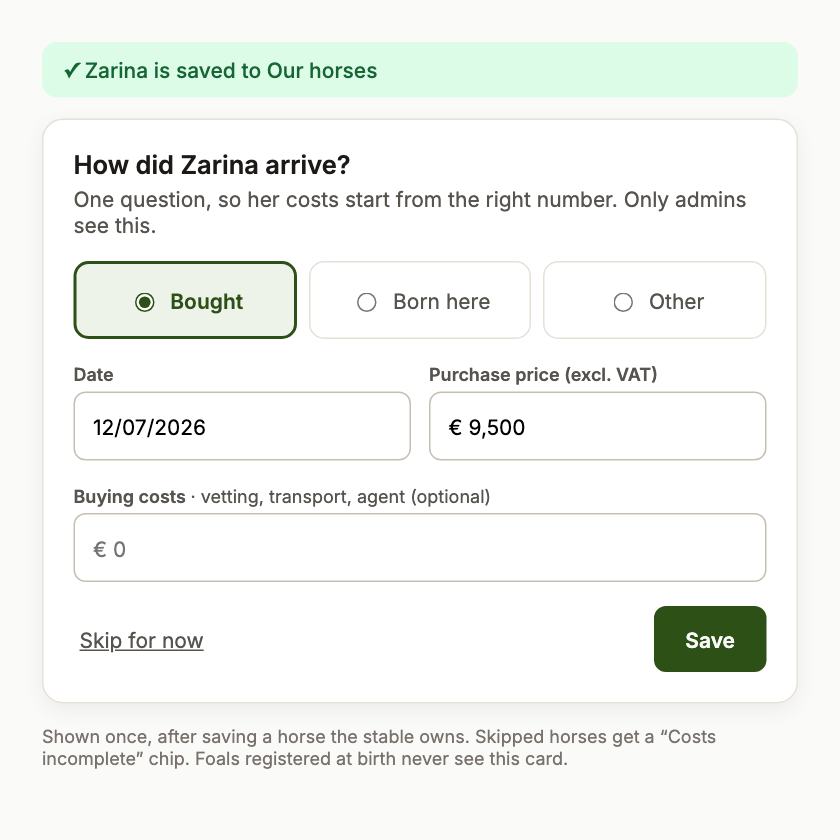
After you add a horse the stable owns, Equidentity asks one question: Bought, Born here or Other? Enter the date, the purchase price excl. VAT and any buying costs (vetting, transport, agent). Keep at the home box starts that day. You can skip it — the horse then shows a Costs incomplete chip in the Horses list as a reminder.
3. The horse's cost page
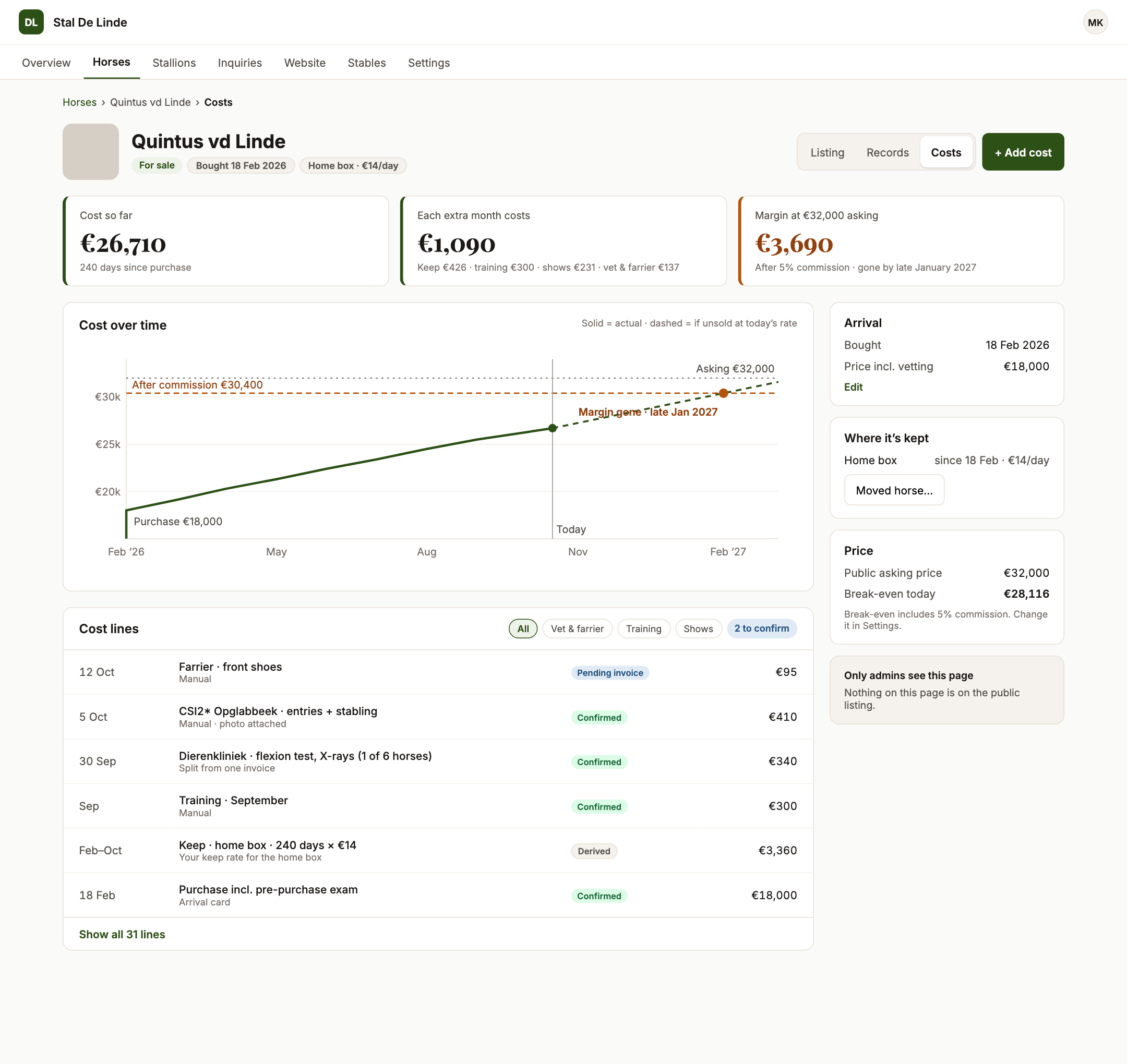
Tap Costs on a horse card. The page answers three questions first:
- Cost so far — purchase + keep to date + every cost line.
- Each extra month — the current keep rate plus the average of the last 90 days of extras.
- Margin at the asking price (or at your private target price), and the date that margin runs out. Without a price you see the break-even price instead.
Below that: a chart of cost over time, the cost lines (filter by category; pending lines can be confirmed), and panels for arrival, where it's kept, price and sale.
Moved horse… records a move (to grass, an outside yard, back home): the current stay ends on the moving day and the new one starts.
4. Add a cost
Tap Add cost (on a phone: the round + button). Enter the amount excl. VAT, the VAT rate, the date, category and supplier, and optionally take a photo of the receipt. One invoice can cover several horses: choose Split evenly (the amount is divided to the cent) or Full amount each.
5. When a horse is sold
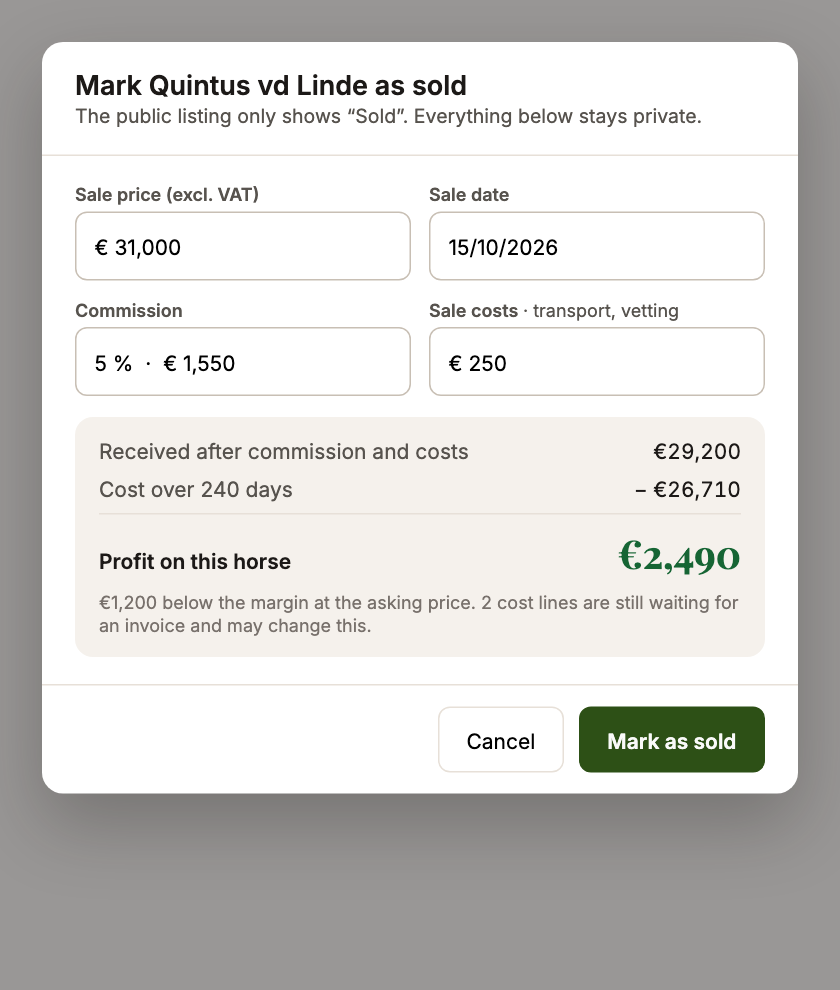
Tick Sold on the horse and save: Equidentity asks for the sale price, commission (% or €) and sale costs, shows the realised profit, and stops keep on the sale day. The sale price is private and never appears on your website.
6. Portfolio and export
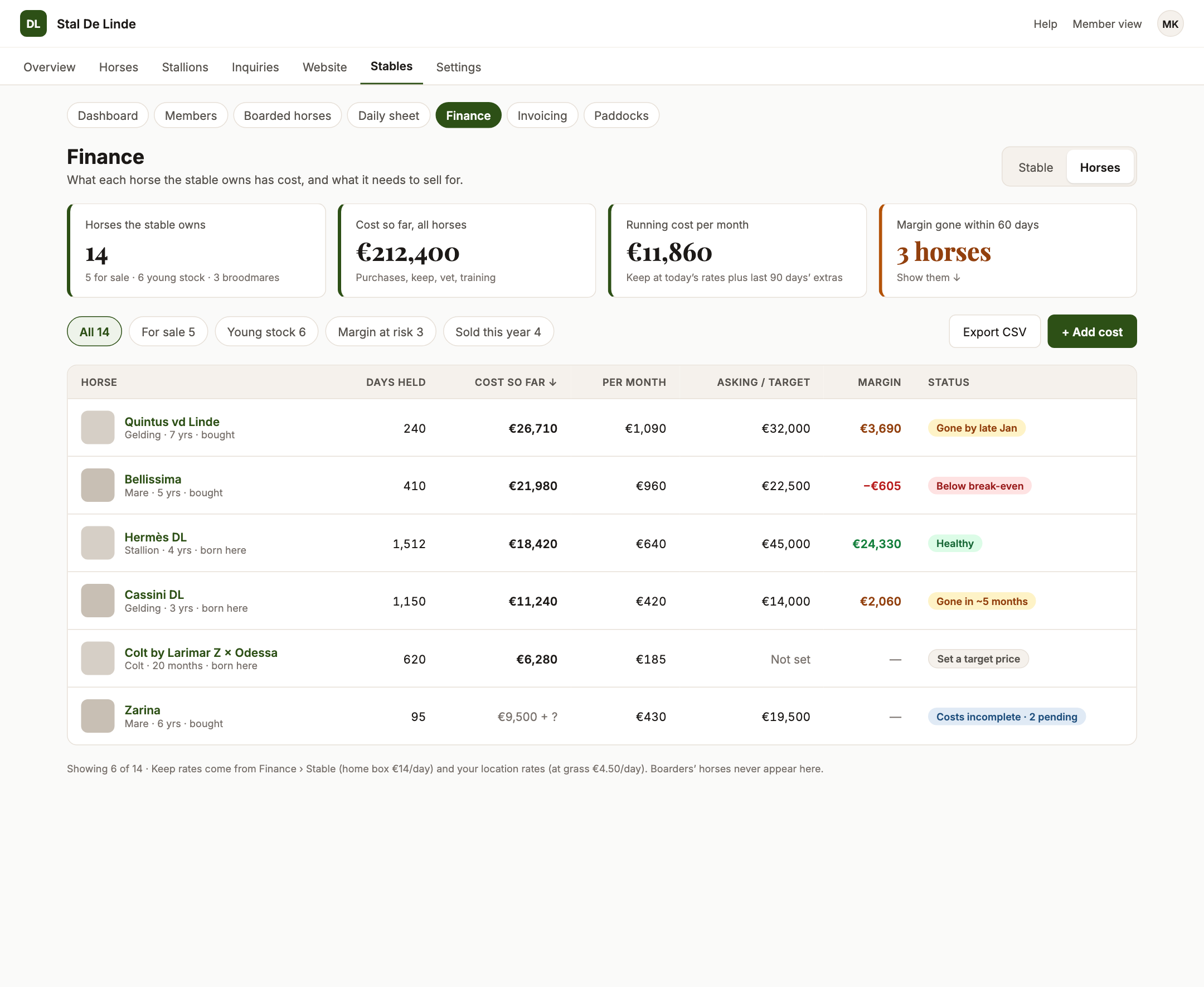
Finance › Horses lists all your horses with days held, cost so far, cost per month, asking or target price, margin and a status (healthy, margin running out, below break-even, set a target price, costs incomplete). Filter by For sale, Young stock, Margin at risk or Sold this year.
Export for your accountant downloads every cost line in a period as a CSV that opens directly in Excel.
Foals born at your stable
A foal registered at birth gets its costs automatically: no arrival question, keep at grass from its birth date, and its share of the pregnancy it came from (stud fee, scans, checks). Its cost page shows what it had cost at birth, 6 months, 1 year, 2 years and today. See Pregnancy costs.
To see what whole crops of foals cost, and which mares pay off, see Breeding reports.
Privacy and retention
Cost records are visible only to your stable's administrators. They are deleted automatically 7 years after a horse has left the stable; you can delete a line yourself at any time.
For members: My horse costs
If the stable turns on Member horse costs, members get a My horse costs page in the member area. They can note what their own horse costs them — purchase, livery, vet, farrier, feed, shows — and what it sold for, and see what they spent, received and the net result. Only the member sees these figures; the stable cannot.