Horses Accordion
📍 Find this in the app: Admin Panel → Content → Page Editor (
/admin/page-editor) — add a block and pick Horses Accordion.
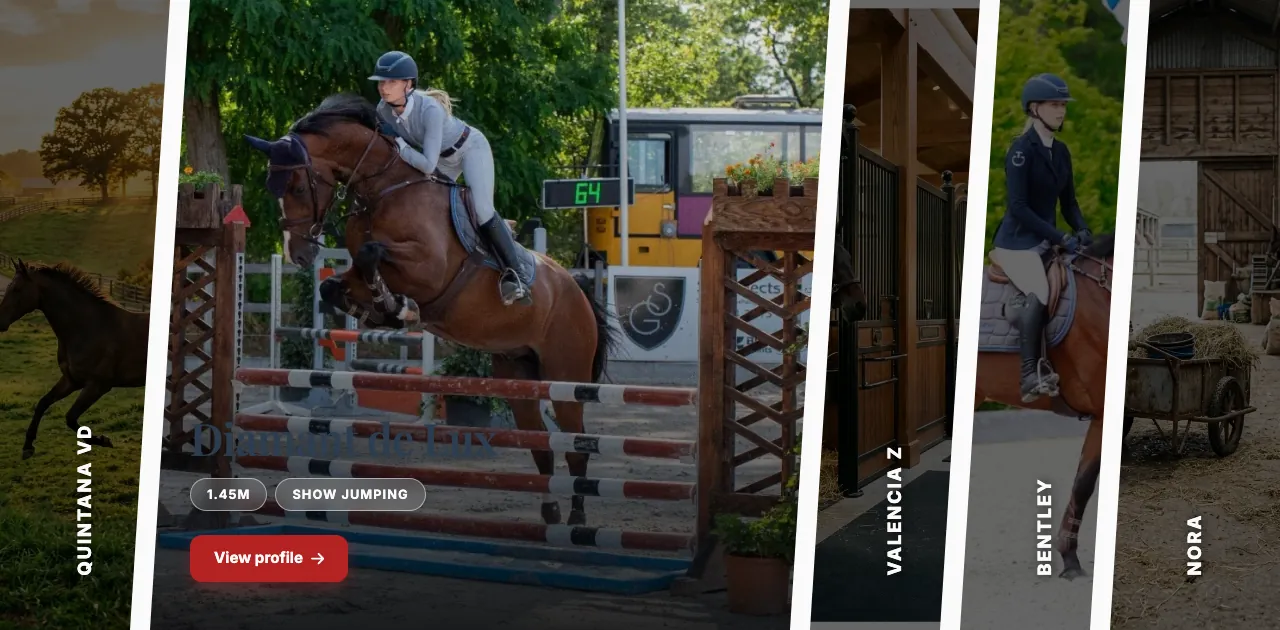
A striking way to show a few of your horses for sale: tall, slanted photo panels side by side, one per horse. When a visitor points at or taps a panel, it opens wider and shows the horse's details and a View profile link. The horses come from your Sales Horses list automatically.
This is how the block looks on a stable website (example content):
Content
- Heading: An optional title above the panels.
Settings
- Maximum items shown: How many horses to show. The accordion shows at most 5 panels.
- Only show available horses: When on (the default), horses marked as sold are left out.
- Panel height (vh): How tall the panels are, as a percentage of the screen height. 70 (the default) means 70% of the screen.