Showcase Grid
📍 Find this in the app: Admin Panel → Content → Page Editor (
/admin/page-editor) — add a block and pick Showcase Grid.
Shows the horses your stable owns — school horses, broodmares, competition horses, retired horses and so on — grouped by category, with buttons at the top to filter by category. Horses you own that are also for sale, for lease or standing at stud are included too, so a broodmare you're selling still appears with your other broodmares. Sold horses and drafts never appear.
This is how the block looks on a stable website (example content):
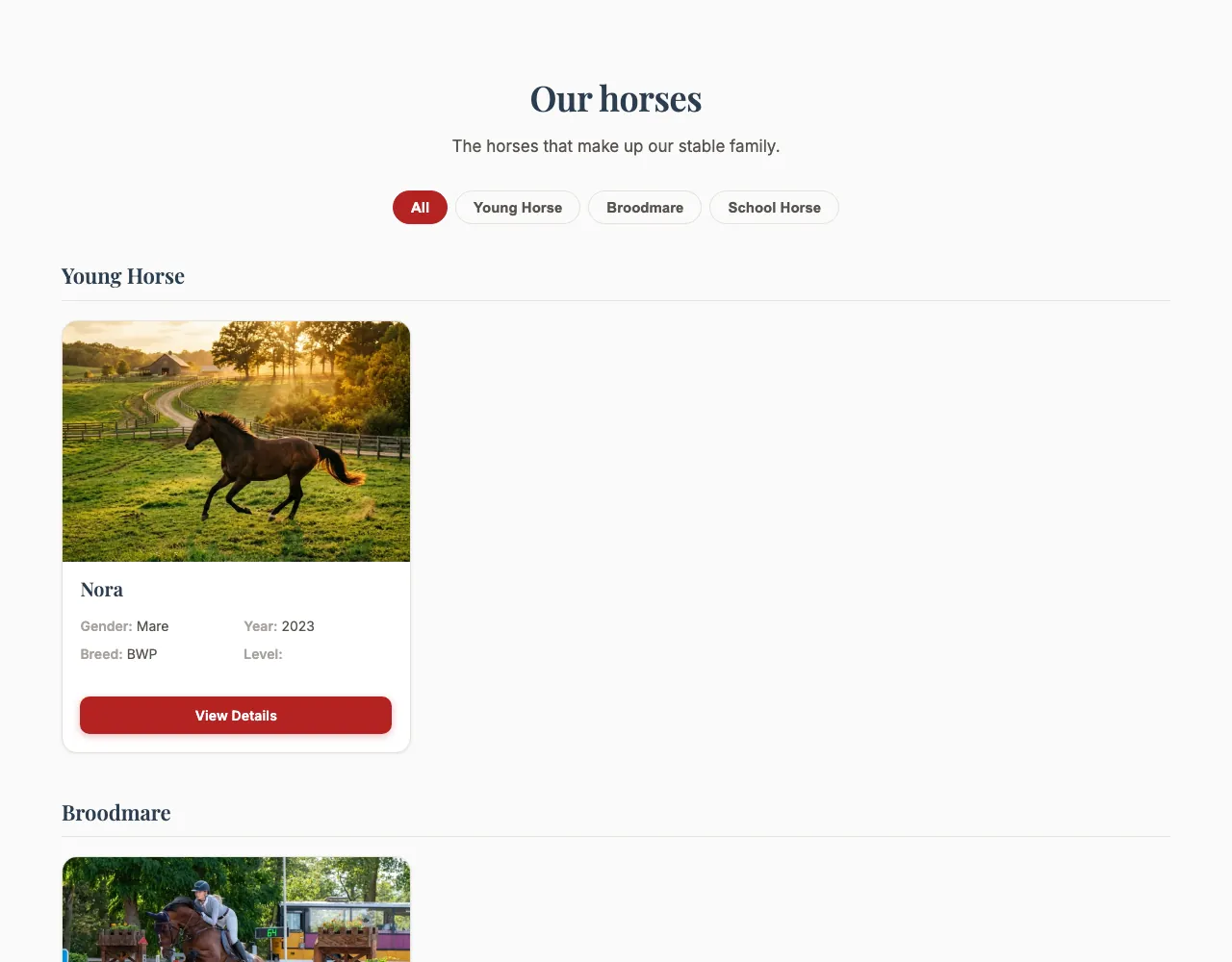
A horse your stable doesn't own (a boarder's horse, for example) only appears if you picked a Showcase Category for it and it isn't for sale, for lease or standing at stud. Horses appear automatically; Our Horses explains which horses qualify.
There is no separate Our Horses page: this block is how you show these horses. Add it to any page, as often as you like, and choose per block which categories it shows.
Switch on Showcase horses on the Configuration page. It's included in every plan. Without it, the block stays hidden.
Content
- Heading and Description: Optional introduction above the horses.
Settings
- Card style: Default, Colour band (photo + name bar), Magazine (full-bleed image), Minimal (clean, no shadow), Side by side (image left), Rounded (soft corners) or Polaroid. They are described in the Horses Grid.
- Number of columns: 2, 3 or 4 cards next to each other on a computer screen.
- Image framing: Show top, Centre or Show bottom — which part of each photo stays in view when it's cropped.
- Categories to show: Tap the categories this block should show — Young Horse, Broodmare, Retired, School Horse, Family Horse, Competition Horse or Other. Pick none to show every category. Horses without a category are saved as Other. With exactly one category picked, the block leaves out the category heading and the filter buttons.
- Maximum items shown: How many horses to show at first (up to 20; 12 by default). If there are more, a Load more button below the horses shows the next batch of the same size. With categories picked, only horses in those categories are shown and loaded.
- Show call to action button, Call to action text, Call to action link: An optional button below the horses. It's off by default, and only appears once you switch it on and fill in a link. Without your own text it says "View all horses".
Want your broodmares on the breeding page and your school horses on the training page? Add a Showcase Grid block to each page and pick one category in each.