Contact Form
📍 Find this in the app: Admin Panel → Content → Page Editor (
/admin/page-editor) — add a block and pick Contact Form.
A form where visitors can send you a message. Every message arrives in your Admin Panel under Inquiries, so nothing gets lost in a mailbox. The form is protected against spam automatically.
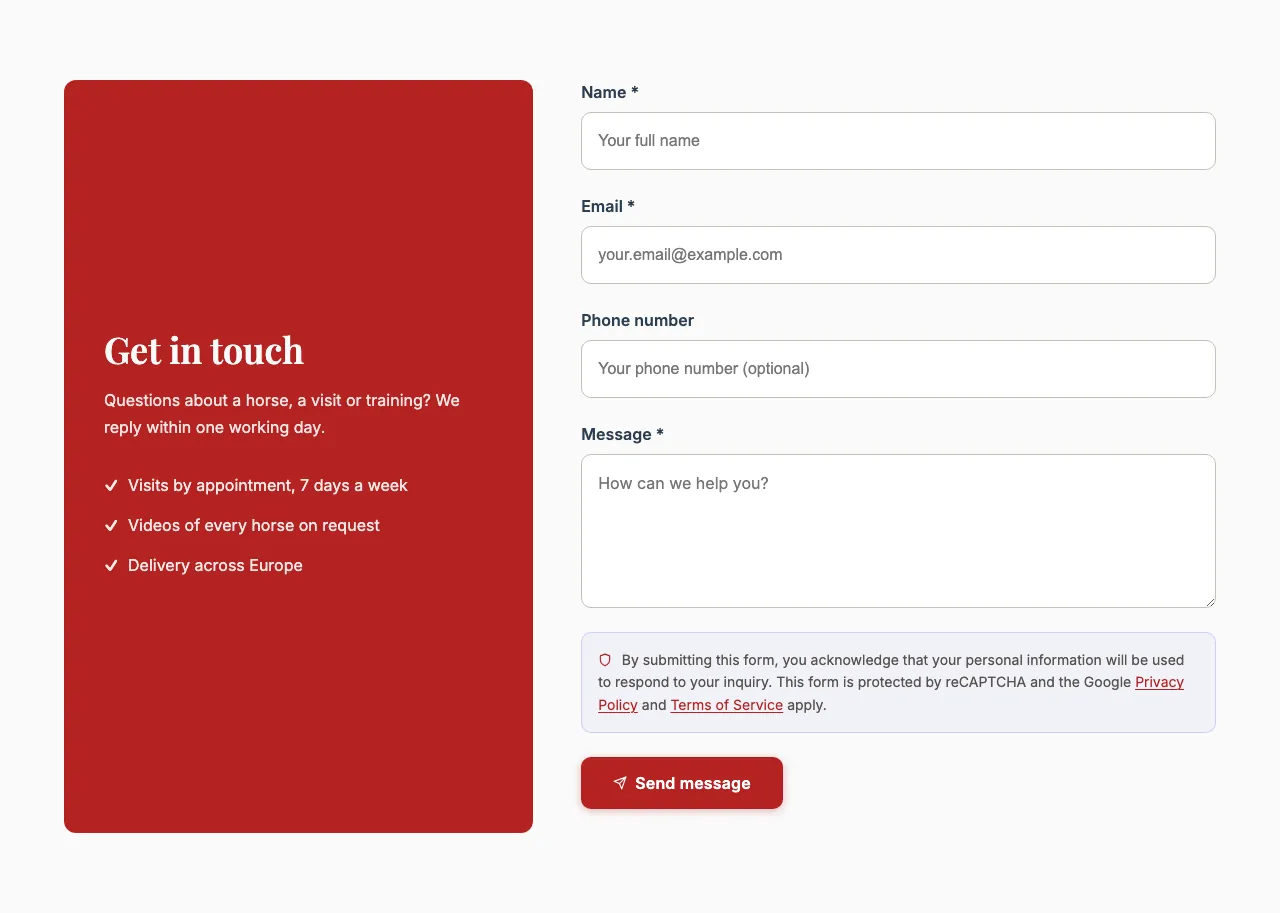
This is how the block looks on a stable website (example content):
Content
- Heading and Description: Optional introduction above the form.
- Contact highlights: Short lines shown as a checklist next to the form, such as "Call us: +32 475 12 34 56" or "Open Mon–Sat, 9–17". Click Add highlight for each line. They're only shown when Show contact highlights is on.
Settings
-
Display style:
- Default: The form, with the highlights beside it.
- Editorial: A calmer, magazine-style layout that can also show a map.
- Split panel (tinted heading + routes, form beside): A coloured panel with the heading and your contact details, with the form next to it.
-
Form type:
- General contact: A general message form. The button says Send message.
- Horse inquiry: For a page about your horses. The message box asks which horse the visitor is interested in, the button says Send inquiry, and the message is marked as a horse inquiry.
Messages from both types arrive under Inquiries.
-
Show contact highlights: Shows the highlight lines next to the form.
-
Show map (editorial style) — Editorial only: Adds a map of your location. For privacy (GDPR), visitors first see your address and a Show map button; the map only loads after they click it.
-
Map embed URL (Google Maps / OpenStreetMap) — only when the map is on: In Google Maps, open your location and choose Share → Embed a map; in OpenStreetMap choose Share → HTML. Copy only the link inside
src="…", not the whole code. A normal map or share link won't work. -
Background colour — Split panel only: The colour of the panel (Main colour, Light main colour, Dark main colour, Accent colour, Light accent colour, Dark accent colour, White or Dark).