Horses Grid
📍 Find this in the app: Admin Panel → Content → Page Editor (
/admin/page-editor) — add a block and pick Horses Grid.
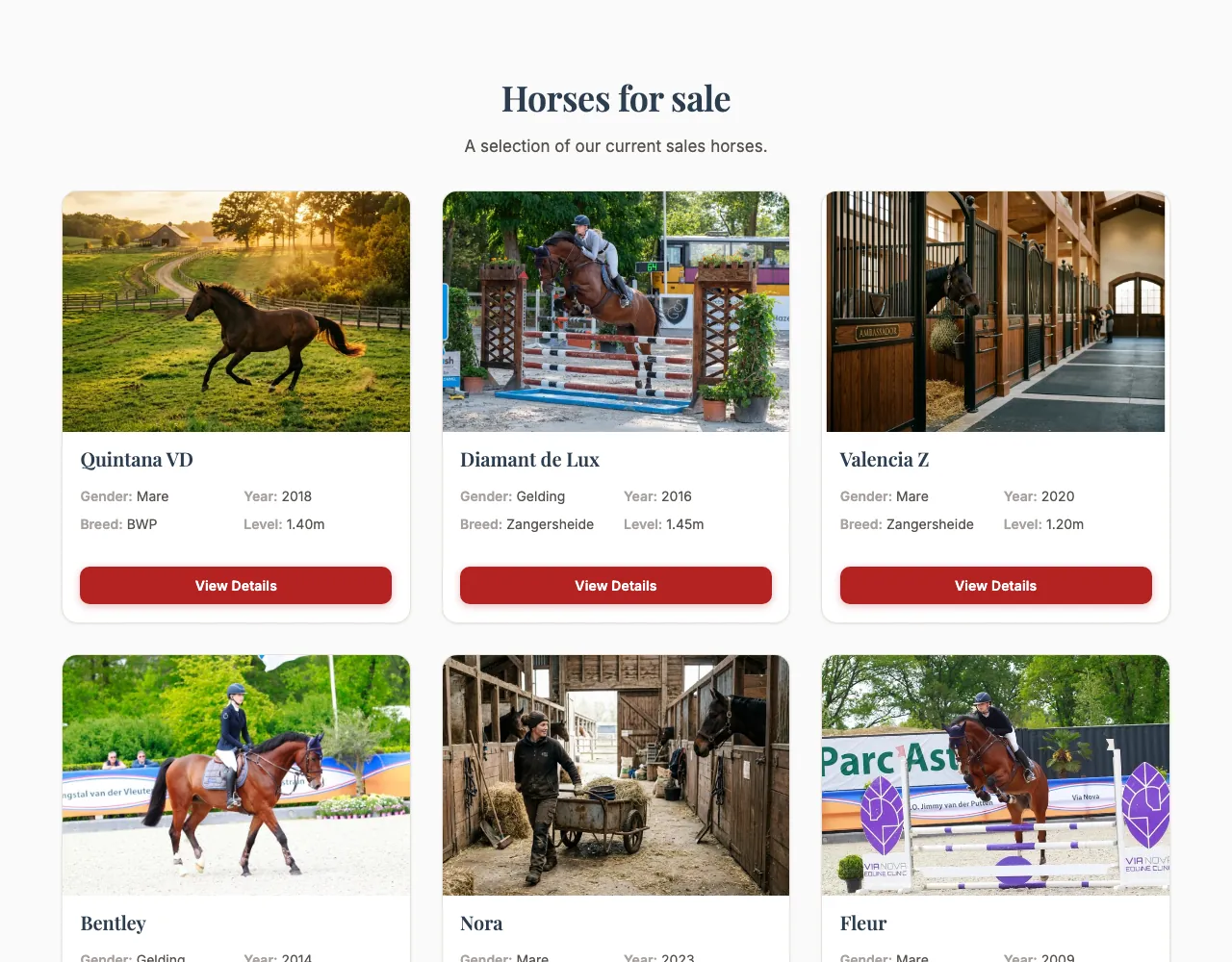
Shows your horses for sale automatically. You don't pick horses by hand: the block fills itself from your Sales Horses list, so a horse you add, edit or sell there is updated on the website too. Drafts are never shown.
This is how the block looks on a stable website (example content):
Content
- Heading and Description: Optional introduction above the horses.
Settings
- Layout style:
- Card grid: Horse cards in neat rows.
- Sliding carousel: A row of cards that visitors swipe or click through.
- Focus (spotlight + thumbnails): One horse shown large, with small pictures of the others to switch between.
- Infinite marquee (auto-scroll): A band of horse cards that keeps scrolling slowly by itself.
- Widescreen Diagonal Accordion: Tall slanted photo panels, one per horse, that widen when a visitor points at them.
- Card style:
- Default: Photo with the details below.
- Colour band (photo + name bar): A tall photo with a bar in your main website colour underneath, showing the horse's name in capitals and its pedigree (sire × dam's sire). There are no details or button: the whole card links to the horse.
- Magazine (full-bleed image): A large photo with the name and details on top of it.
- Minimal (clean, no shadow): A simple card without borders or shadow.
- Side by side (image left): Photo on the left, details on the right.
- Rounded (soft corners): Cards with rounder corners.
- Polaroid: The photo in a white frame, like a Polaroid picture.
- Number of columns — Card grid only: How many cards sit next to each other on a computer screen: 2, 3 or 4.
- Image framing: Show top, Centre or Show bottom — which part of each photo stays in view when it's cropped. Use Show top when heads are being cut off.
- Maximum items shown: How many horses to show (up to 20).
- Only show available horses: When on, sold horses are left out and only horses that are still for sale appear. When off, sold horses stay on the website too, with a Sold label on their card.
- Show call to action button, Call to action text, Call to action link: An optional button below the horses, for example "View all horses" linking to
/horses.