Testimonials
📍 Find this in the app: Admin Panel → Content → Page Editor (
/admin/page-editor) — add a block and pick Testimonials.
Shows what your customers say about you. The reviews themselves are written under Content → Testimonials; this block picks them up automatically.
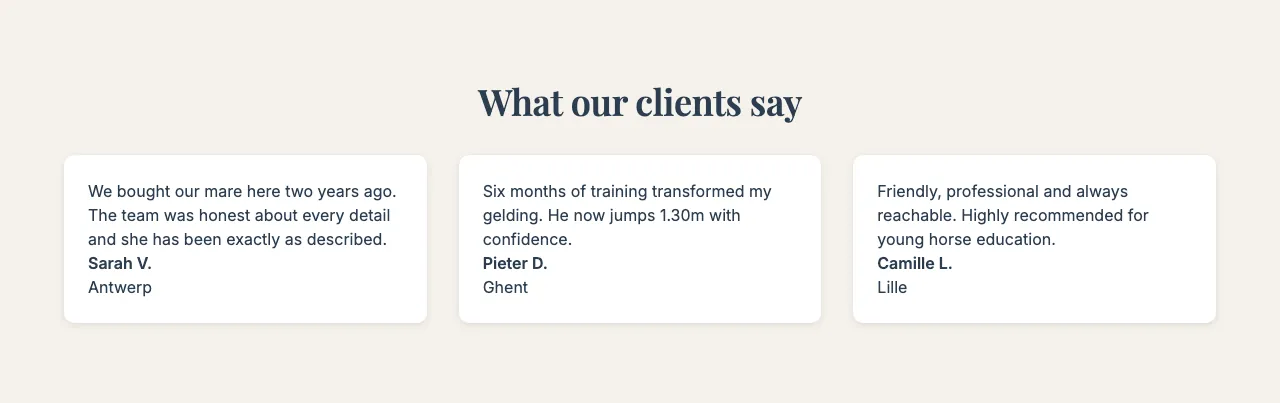
This is how the block looks on a stable website (example content):
Content
- Heading and Description: Optional introduction above the reviews.
Settings
- Display style:
- Cards: Each review in its own card.
- Pull quote: Large quotation marks and big text, like a quote in a magazine.
- Simple text: Just the text, without cards or backgrounds.
- Layout style: Card grid (all reviews visible at once) or Sliding carousel (visitors click or swipe through the reviews).
- Maximum items shown: How many reviews to show.
- Show featured testimonials only: Shows only the testimonials you marked as Featured testimonial. When it's on, the type filter below is ignored.
- Filter by type: Show All types, or only Training, Purchase or Other reviews — for example only purchase reviews on your sales page.