Stallions Grid
📍 Find this in the app: Admin Panel → Content → Page Editor (
/admin/page-editor) — add a block and pick Stallions Grid.
Shows your stallions that stand for breeding, automatically. Every stallion with Standing for breeding switched on in his profile appears here, including stallions that only offer frozen or fresh semen. See Managing Stallion Profiles.
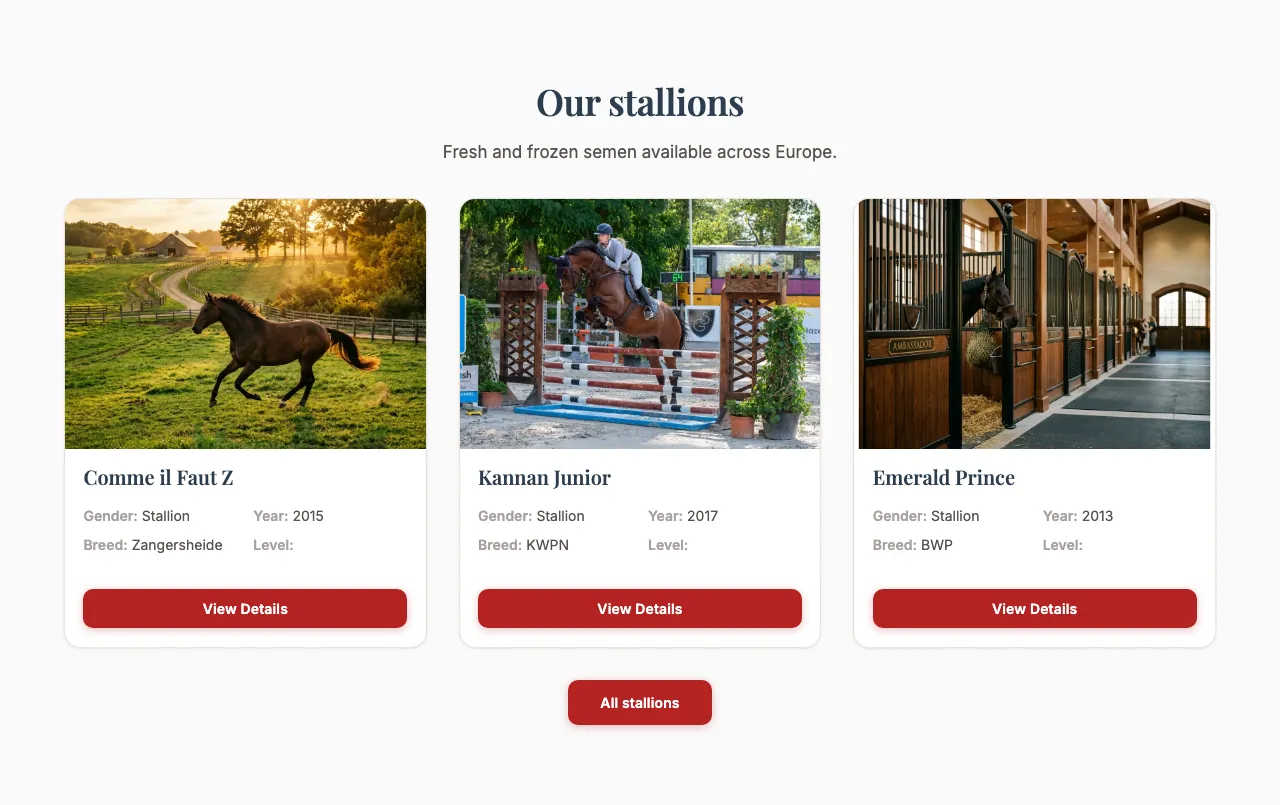
This is how the block looks on a stable website (example content):
PRO feature
This block needs the Stallion Profiles feature and a PRO subscription. Without them, the block stays hidden on your website even if it's on the page.
Content
- Heading and Description: Optional introduction above the stallions.
Settings
- Layout style: Card grid, Sliding carousel, Focus (spotlight + thumbnails) or Infinite marquee (auto-scroll). These look the same as in the Horses Grid.
- Card style: Default, Colour band (photo + name bar), Magazine (full-bleed image), Minimal (clean, no shadow), Side by side (image left), Rounded (soft corners) or Polaroid. They are described in the Horses Grid.
- Number of columns — Card grid only: 2, 3 or 4 cards next to each other on a computer screen.
- Image framing: Show top, Centre or Show bottom — which part of each photo stays in view when it's cropped.
- Maximum items shown: How many stallions to show (up to 20).
- Show call to action button, Call to action text, Call to action link: An optional button below the stallions. By default it says "View All Stallions" and links to
/stallions.